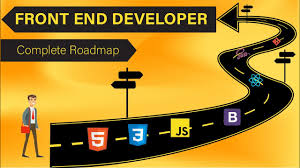
The front-end is everything a user sees and interacts with. It's the best place for a beginner to start their coding journey.
I. The Core Trio of Languages
HTML (HyperText Markup Language): The foundational 'skeleton' of any webpage.
Purpose: Structures the content (headings, paragraphs, images).
Goal: Understand basic tags like <h1>, <p>, <img>, and <a>.
CSS (Cascading Style Sheets): The 'styling' and 'design' layer.
Purpose: Controls the look, layout, and responsiveness (colors, fonts, positioning).
Goal: Learn selectors, the box model, and basic layouts (Flexbox/Grid).
JavaScript (JS): The 'interactivity' layer.
Purpose: Adds behavior, such as handling button clicks, form validation, and animations.
Goal: Learn variables, functions, and DOM manipulation.
II. Essential Tools
Code Editor: Use a professional, free editor like VS Code (Visual Studio Code).
Benefit: Syntax highlighting, extensions, and integrated terminal.
Browser Developer Tools: Learn to use the Inspect Element feature (usually F12) in Chrome or Firefox.
Benefit: Debugging CSS/JS and testing responsiveness.
III. Project-Based Learning
Start Simple: Build a simple static portfolio page or a basic recipe card using only HTML and CSS.
Add Interactivity: Rebuild the project, this time adding a simple feature with JavaScript (e.g., a dark mode toggle).
Use Free Resources: Utilize free online platforms like freeCodeCamp, The Odin Project, or MDN Web Docs.
IV. Next Steps (What to Learn After)
Version Control: Learn Git and GitHub for tracking changes and collaborating.
Frameworks/Libraries: Explore React, Vue, or Angular to build complex, modern applications efficiently.